



Be it crypto gambling, or regular gaming, mobile functionality is no longer a bonus, rather a necessity. Stake casino is one of the titans of crypto gambling sites, and they have rolled out a mobile site experience that aims to match that of their desktop performance.
But does it truly deliver the same seamless gameplay, lightning-fast transactions, and access to top-tier promotions?
Whether you’re a casual spinner or a seasoned sports bettor, understanding how the Stake mobile platform performs is key to deciding where to play. In this article, we break down its strengths, features, and what sets it apart.
Why Choose Stake Casino?
Our Stake casino review shows it’s one of the best in the crypto casino arena:
Global Reputation and Licensing
Stake Casino has established itself as one of the most reputable crypto gambling platforms, holding a license from Curacao eGaming and maintaining full transparency about its operations.
This regulatory oversight adds a layer of trust for mobile users wary of scammy or unstable platforms. Stake is also partnered with globally recognized figures like Drake and UFC, further cementing its brand authority.
Crypto-First Convenience
One of the standout reasons to choose Stake is its seamless crypto integration. From the desktop version to the mobile platform, players can deposit and withdraw using popular cryptocurrencies such as Bitcoin, Ethereum, and Litecoin.
Mobile transactions are quick and secure, thanks to blockchain-based processing. This is especially valuable for users on the go who prefer not to deal with fiat currency delays or banking restrictions.
Game Variety at Your Fingertips
Even on mobile, Stake doesn’t compromise its expansive game catalog. You’ll find thousands of slots, table games, and examples of live dealer game options available with full touchscreen optimization.
The in-house games like “Mines,” “Plinko,” and “Crash” are custom-built for mobile responsiveness and load almost instantly. The transition from desktop to phone is practically seamless, giving players the freedom to gamble anywhere.
Community and Live Chat
Stake’s mobile experience also retains its lively social features. The mobile and browser versions include access to live chat rooms and forums where users can interact in real-time, share tips, or celebrate wins together.
From a mobility perspective, this gives the platform functionality a social casino vibe that’s often missing from its competitors.
Does Stake Have a Mobile App?
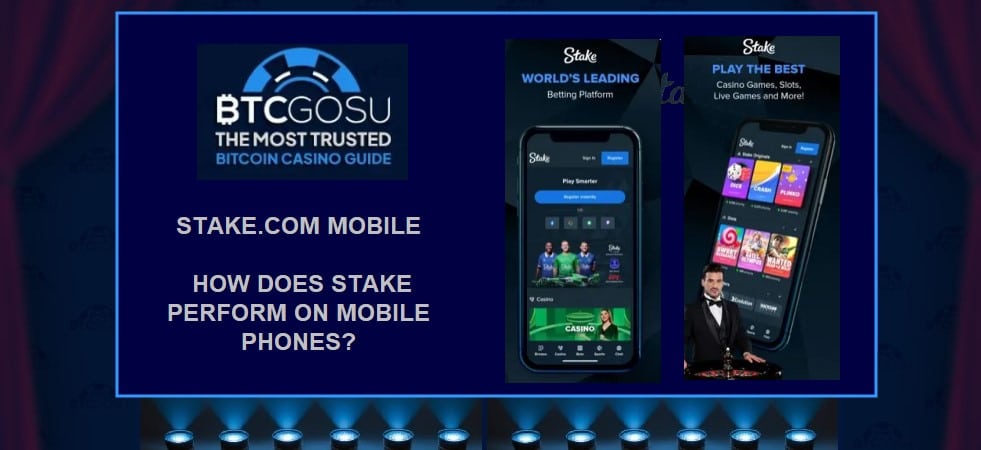
While Stake Casino does not currently offer a downloadable mobile app through the iOS App Store or Google Play, it delivers a highly optimized mobile experience via its browser-based platform.
The mobile site is designed to mimic the look and feel of a native app, offering smooth navigation, fast load times, and full access to all casino and sportsbook features. Whether you’re playing Stake Originals like Dice or Crash, placing live bets on sports, or exploring hundreds of slots, the mobile version performs without noticeable lag or limitations.
Users can easily add Stake to their home screen on both Android and iOS devices, giving it the appearance and convenience of a traditional app.
Once launched, the interface feels intuitive and clutter-free, with swipe-friendly menus and touch-optimized game displays. The games load quickly, scale well to smaller screens, and maintain graphical quality and functionality across different device types.
More importantly, the mobile platform retains access to core features such as account management, crypto deposits and withdrawals, customer support, promotions, and chatrooms.
Stake also uses responsive web technology, meaning the site automatically adjusts to your screen resolution and orientation. This ensures a smooth gambling experience wherever you’re playing.
For players who value speed, portability, and real-time play, Stake’s mobile platform delivers a near-native app experience without the need for a download.
While a dedicated app may still be in the pipeline, the current mobile offering meets the expectations of most crypto-savvy users and gamblers on the move.
How to Download Stake iOS and Android App?
Instead of relying on a downloadable app, Stake has designed its mobile-optimized website to function like a native app. But if you still prefer the convenience of an app icon on your home screen, there’s a simple workaround.
How to Add Stake to Your iPhone (iOS)
- To download Stake on iPhone, Open Safari on your iPhone or iPad and go to Stake.com.
- Once the site loads, tap the Share icon at the bottom of the screen (a square with an arrow pointing upward).
- Scroll through the options and tap Add to Home Screen.
- You can rename it “Stake” or keep the default title.
- Tap Add, and the icon will appear on your home screen like a regular app.
This shortcut launches Stake in full-screen mode, making it nearly indistinguishable from a native iOS application. You’ll get access to all games, promotions, chat features, and crypto transactions directly from this icon.
How to Add Stake to Android Devices
- To download Stake on Android, open Google Chrome (or your preferred browser) and visit Stake.com.
- Tap the three-dot menu in the top-right corner of the screen.
- Select Add to Home screen from the dropdown menu.
- Customize the name if desired and tap Add.
- The icon will now appear on your Android home screen, providing quick access to the platform.
This method creates a Progressive Web App (PWA)-like experience. It feels just like using an actual app, with the same responsive performance, swipe features, and in-game fluidity.
How to Use a Stake Mobile App?
Here’s a step by step guide to using Stake mobile app:
Getting Started
To begin using the Stake mobile app (or home screen shortcut), simply tap the icon you’ve added. The mobile site will launch in full-screen mode, offering a streamlined interface optimized for touch navigation.
You can log in with your existing Stake credentials or create a new account directly from the mobile screen. The entire sign-up and verification process is mobile-friendly.
Navigating the Platform
The Stake mobile app offers intuitive navigation with a bottom menu and expandable side options. You can access key features like:
- Casino games: Easily filter by category, Slots, Originals, Live Casino, Table Games.
- Sports betting: Browse events, place bets, and view live scores in real time.
- Promotions: Quickly check active offers, reload bonuses, and rakeback rewards.
Everything is swipe-responsive and optimized for smaller screens, so gameplay and browsing are smooth and efficient.
Depositing and Withdrawing Crypto
The app interface also makes it easy to manage your crypto wallet. Head to the Wallet section to choose a coin (like Bitcoin, Ethereum, or USDT), scan the deposit QR code, or initiate a withdrawal. The process is fast, secure, and fully compatible with mobile wallets and exchanges.
Playing Games on Mobile
Once you’re logged in and funded, tap on any game to launch it instantly. Mobile gameplay is responsive and glitch-free, thanks to Stake’s lightweight design. Whether it’s live blackjack or crash games, everything runs smoothly even on moderate internet speeds.
Stake Mobile App – Pros and Cons
Here are the pros and cons of Stake’s mobile solution:
Pros
Great Performance Across Devices
Stake’s mobile app experience, while technically a web app, runs smoothly on both iOS and Android.
The interface is responsive and optimized for mobile screens, ensuring fast loading times and minimal lag during gameplay, even for live casino titles and sports betting.
Full Access to Features
Unlike some competitors, Stake doesn’t strip down its mobile version. You get access to the full range of casino games, sports markets, promotions, account settings, and wallet features. It feels like a native app, just without the download from the App Store or Play Store.
Crypto-Friendly Interface
The app supports seamless crypto deposits and withdrawals with a mobile-optimized wallet section. QR code scanning and quick linking with external wallets make managing funds easy from your smartphone.
Regular Updates and Compatibility
Stake’s web app format ensures automatic updates without requiring manual downloads, and it’s compatible with virtually all modern mobile browsers.
Cons of the Stake Mobile Solution
No Native App Download
Some users may find it inconvenient that there’s no official native app on the App Store or Google Play. While the web app performs excellently, the lack of a downloadable app might affect discoverability and user trust for some.
Requires Strong Internet for Live Games
Though optimized, high-resolution live dealer games and in-play sports betting can strain mobile data connections or weaker Wi-Fi networks, occasionally affecting performance.
Conclusion
The Stake mobile app gives you a crypto-friendly gambling experience right from your smartphone browser.
Whether you’re into slots, live dealer games, or sports betting, the app offers full functionality with minimal compromise. It may not be a traditional native app, but its smooth interface, fast loading times, and integrated crypto features more than make up for it.
For players who value convenience without sacrificing game quality or performance, Stake’s mobile platform is a strong contender.
Looking to get the most out of your crypto gaming experience? BTCGOSU is your go-to source for in-depth reviews, guides, and insider tips on platforms like Stake. Stay informed and bet smarter.
Frequently Asked Questions
Is the Stake mobile app safe to use?
Yes, the Stake mobile app is safe to use as long as you access it through the official website. It employs encryption, two-factor authentication (2FA), and secure crypto wallet integrations. Always avoid third-party downloads or unofficial links to protect your funds and personal data.
Does the Stake mobile app support all games available on desktop?
Absolutely. The mobile version of Stake mirrors the full desktop experience, offering access to slots, table games, live casino, and sports betting. Performance may vary slightly based on your device and internet connection, but all core features remain intact on mobile.




Login
Register